
For parents
TutorManager makes it effortless for parents to support their children's education. If you have multiple children enrolled in lessons or courses, you can oversee their schedules, review teacher notes, monitor homework, and pay family invoices from a single unified account.
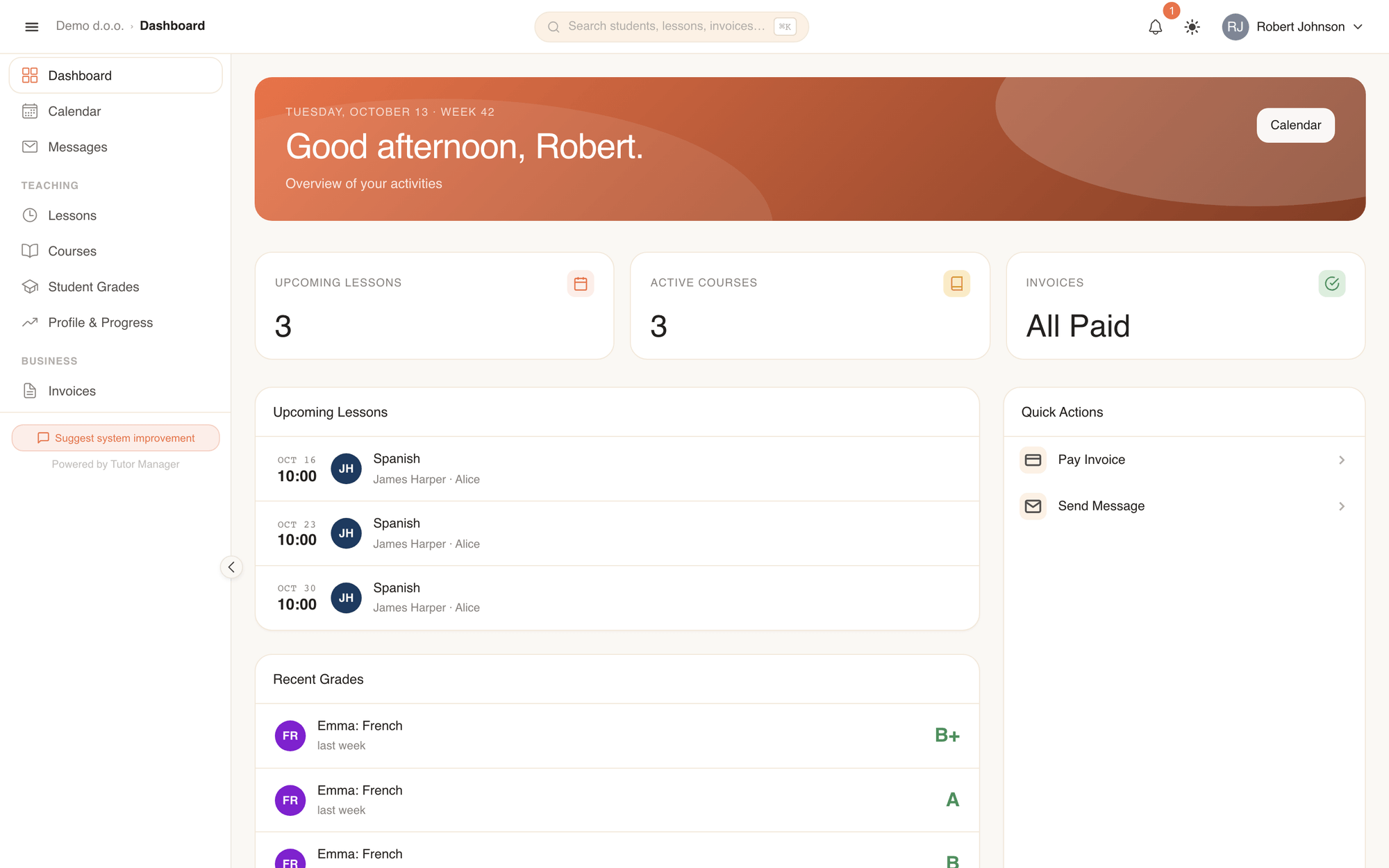
What you see after login
Your family dashboard brings together information for all your enrolled children:
- Upcoming lessons: Scheduled lessons for every child, labeled with their name, subject, teacher, and time.
- Recent grades: New exam marks and teacher assessments across subjects for each of your children.
- Unpaid invoices: Summary of any pending family invoices with quick payment details and due dates.
1. Tracking your children's schedule
TutorManager consolidates all your family's lessons into a single, organized view:
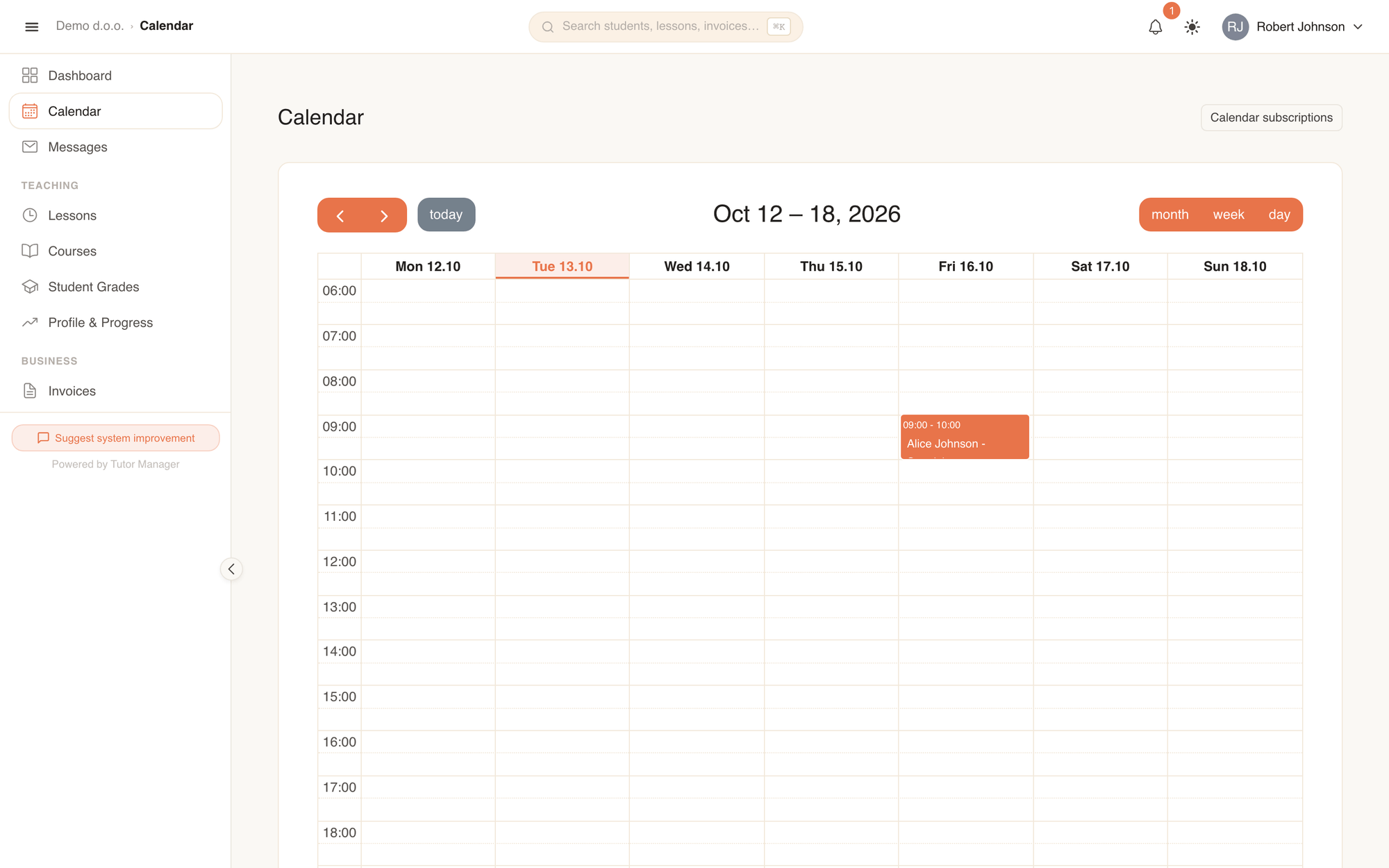
- Open Calendar in the sidebar.
- In the week or month view, each child's lessons appear clearly labeled with their name.
- Switch to Lessons in the sidebar to view a chronological list of past and upcoming sessions.
- Filter by child to view the schedule for one specific student.
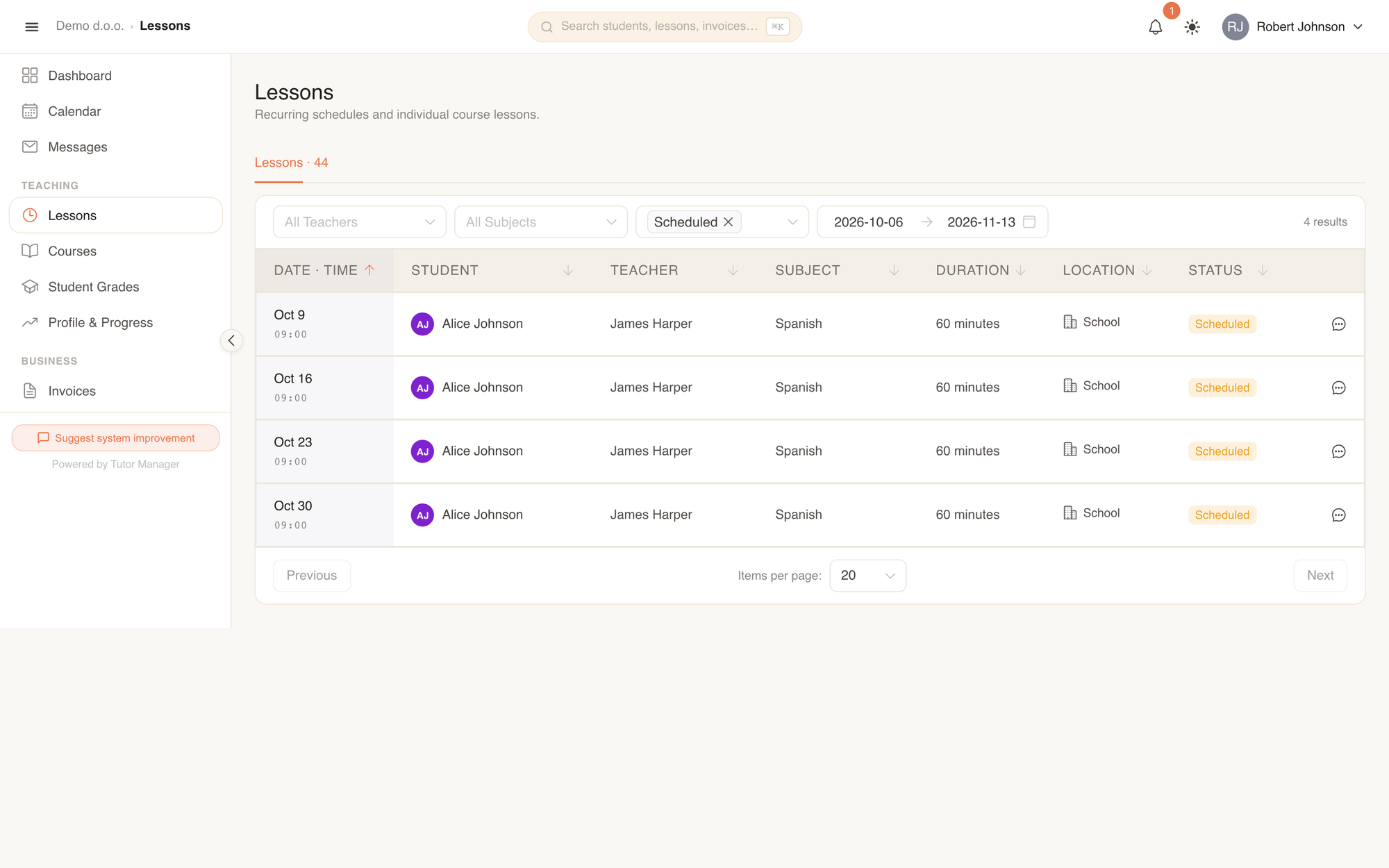
2. Reviewing attendance & teacher notes
After each lesson, teachers record attendance and write notes summarizing the session. You can review this feedback anytime:
- Open Lessons and click on any completed lesson.
- Check the attendance status (Completed, Cancelled, or No Show).
- Read the teacher's Notes to see what topics were explained and what homework was assigned.
- Download any study files, worksheets, or reading materials uploaded by the teacher.
3. Joining online lessons (Zoom)
When a child has a remote lesson scheduled:
- Open the lesson from your dashboard or calendar.
- Click the direct Zoom meeting link to connect your child directly to the class without needing a separate meeting link or passcode.
4. Monitoring homework & grades
Stay informed about your children's academic progress throughout the term:
- Homework completion: Check whether homework assignments have been completed or remain pending.
- Grades & teacher feedback: Open Student Grades to review test scores, oral grades, and teacher remarks for each subject.
- Progress reports: Review published progress reports sent by the school administration summarizing term achievements.
5. Managing invoices & family billing
All tuition fees for your family are gathered under Invoices:
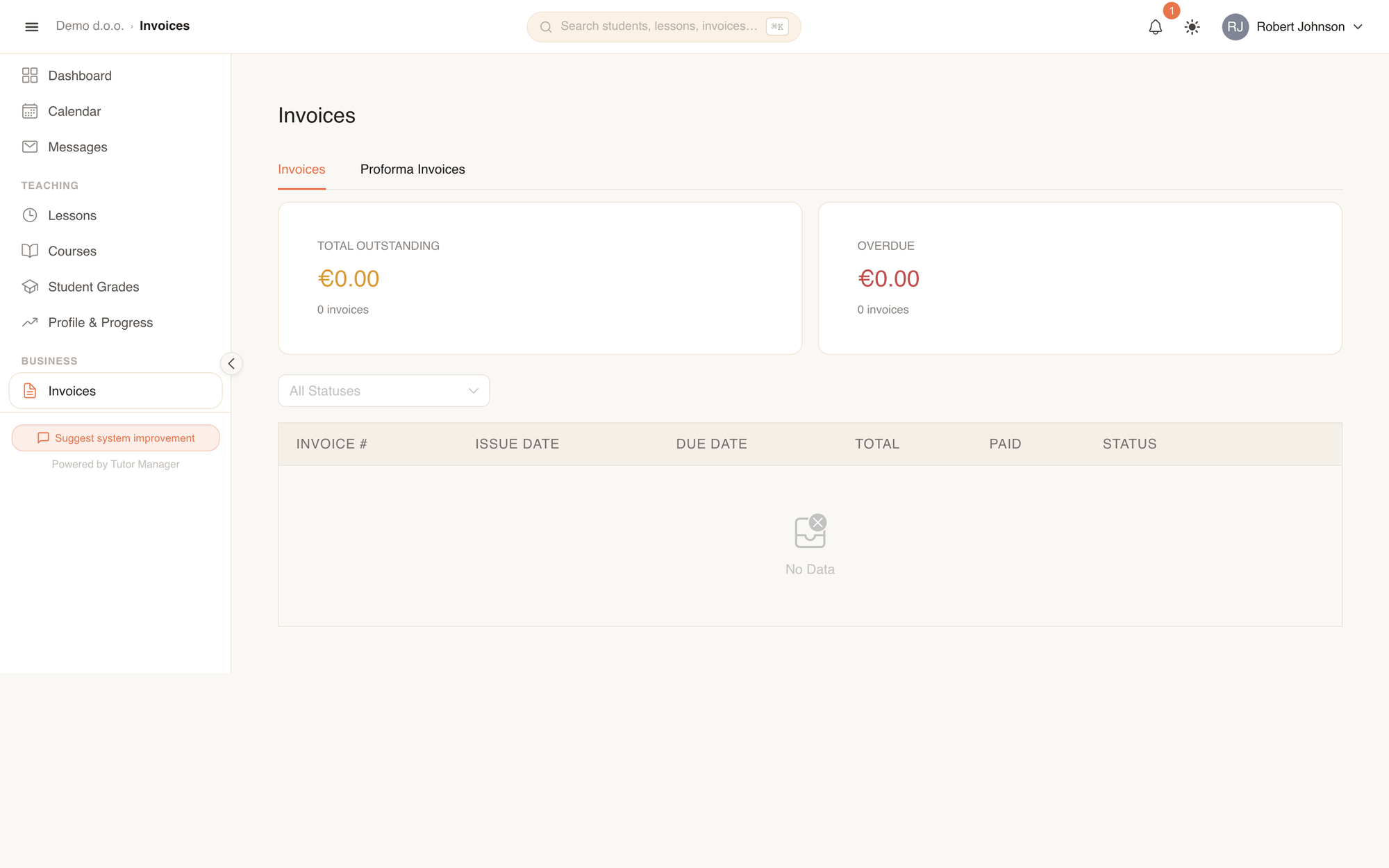
- Open Invoices in the sidebar.
- Switch between Invoices and Proforma Invoices tabs.
- Review the invoice status (Paid, Unpaid, or Overdue) and due date.
- Click an invoice to view the itemized breakdown (lessons attended, hourly rates, and family discounts).
- Click Download PDF to save or print an official invoice.
- Use the displayed bank payment details (IBAN, BIC/SWIFT, and payment reference code) to submit payment via your online banking app.
Family discounts
If your school provides a sibling discount, TutorManager automatically applies the discounted rate on your family invoices.
6. Messaging teachers & school staff
Need to inform a teacher about an absence or ask a question about your child's progress?
- Open Messages in the sidebar.
- Click New Message and select the teacher or school administration.
- Send your message. You will receive an in-app alert when a response arrives.